Modeler Forge
A downloadable tool
Modeler Forge builds a textured low-poly model out of orthographic reference images — the way props were made for Half-Life 2 and the engines of that era. You draw the outlines over your photos, press one button, and you get a closed, textured mesh you can export straight into an engine.
It runs entirely on your machine. No account, no sign-in, no cloud, no telemetry, and no internet connection — install it, unplug the network, and it works exactly the same. Nothing you model ever leaves your computer.
How it works
- Drop your reference images in. One sheet, several photos, or a single atlas with every view on it — they all get packed into one working sheet.
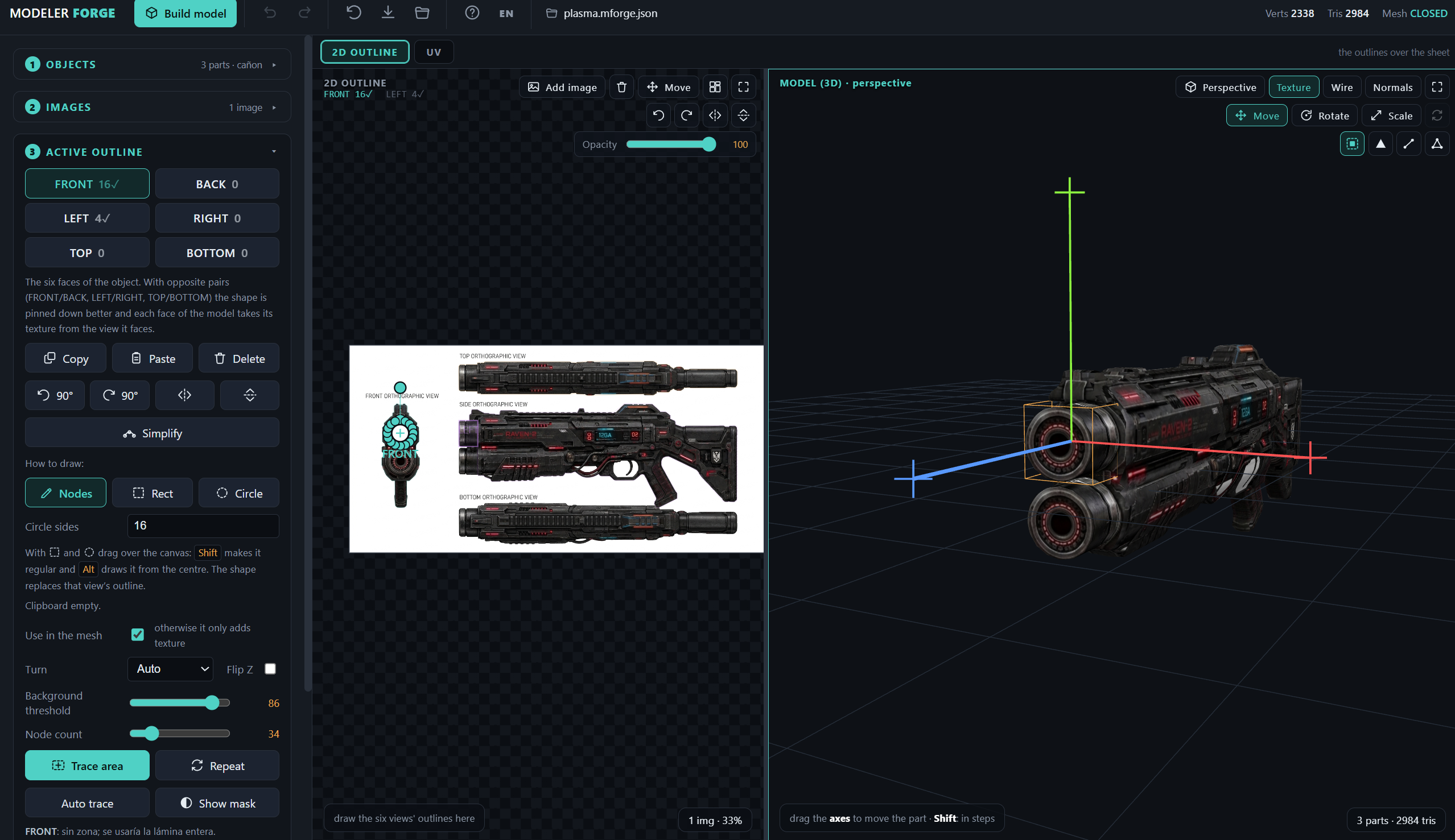
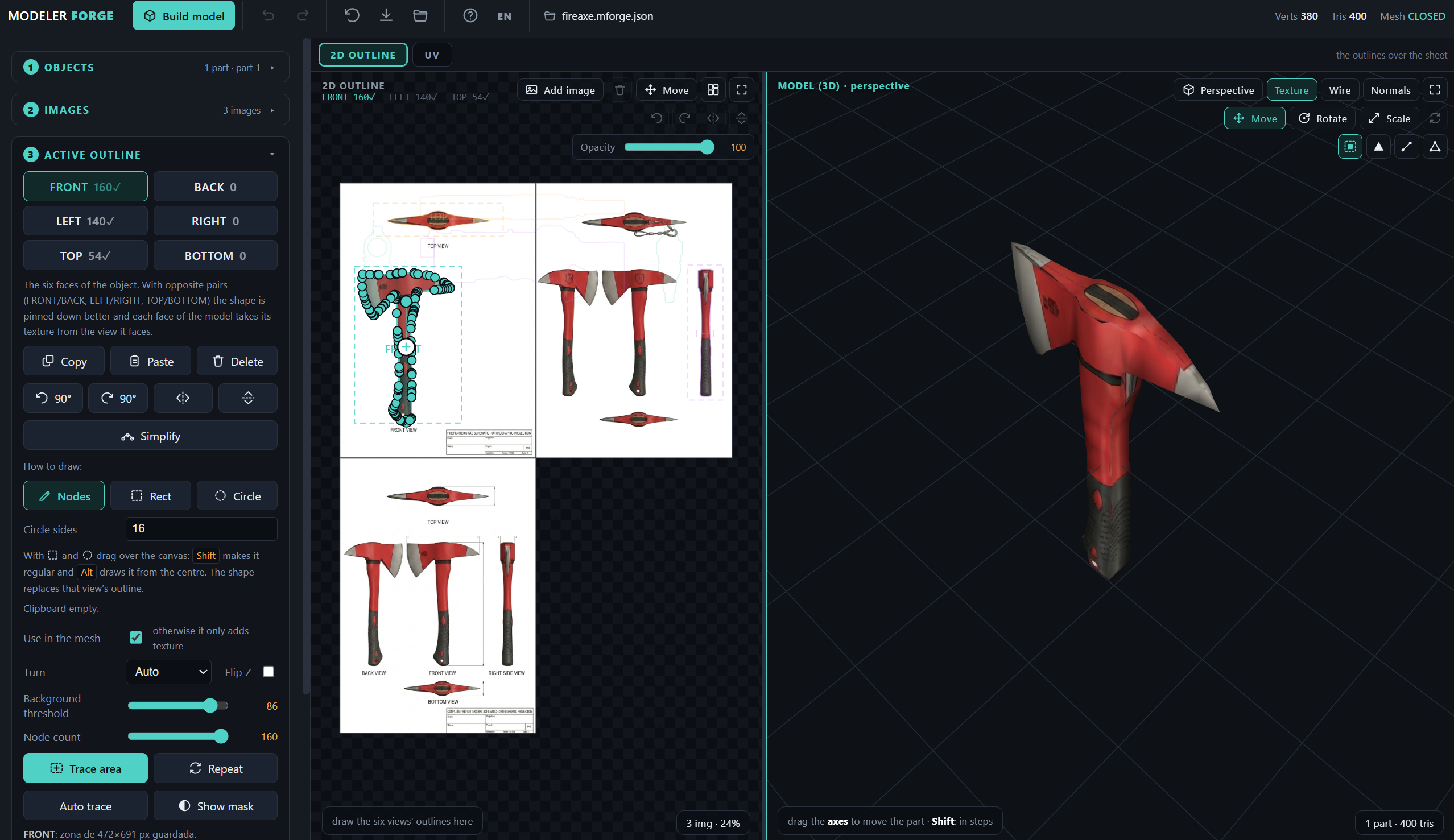
- Outline the views. Up to six: FRONT, BACK, LEFT, RIGHT, TOP and BOTTOM. Trace by hand node by node, drop in a rectangle or a circle, or let the automatic tracer find the silhouette — over the whole sheet, or inside a rectangle you drag.
- Build the model. Two engines: Extrusion for flat pieces, and Volume, which intersects the views as a visual hull and decimates down to the triangle budget you ask for.
- Export. The texture is built from your photos automatically: one atlas, one cell per view, with edge bleeding, and every face takes its colour from the view it actually faces.
What you get
- Six-view modelling, or as few as one.
- Two mesh engines and a triangle budget you set: 150, 900, 5000 — whatever the target engine can afford.
- A watertight check on every build: the header tells you whether the mesh is closed, and how many verts and tris it has.
- An automatic texture atlas from your reference photos, with per-face view routing and edge bleeding, so no face can ever show the background.
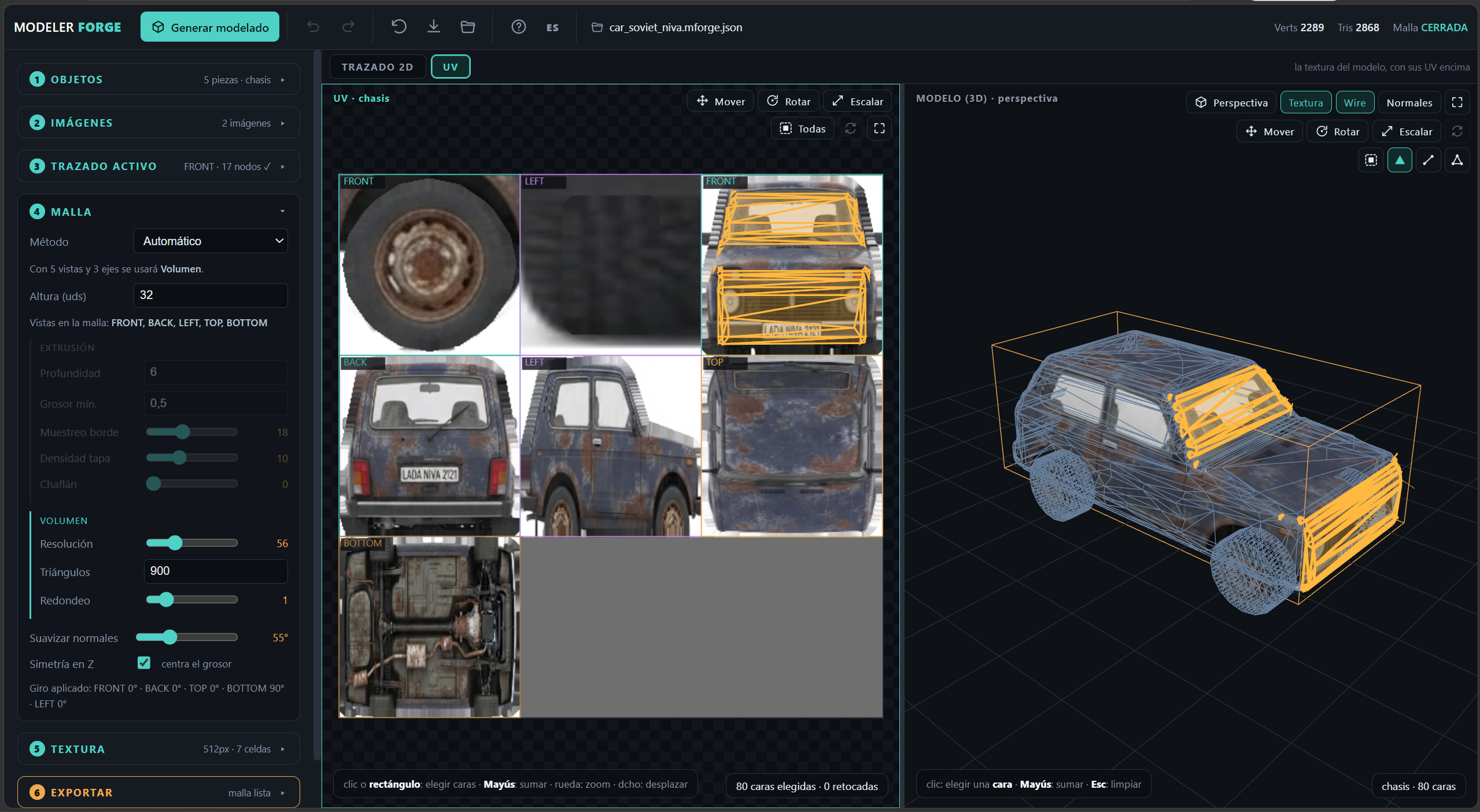
- A UV tab to fix what the automatic mapping got wrong: pick faces by clicking or by dragging a rectangle, then move, rotate and scale their UVs. Edits stay anchored to their atlas cell, so they survive rebuilding and adding objects.
- Direct mesh editing in the 3D view: pick parts, faces, edges or vertices and move, rotate or scale them, with welding so you never tear the mesh open.
- Scenes with several objects, each with its own outlines and its own position, rotation and scale. Duplicates share atlas cells, so four identical wheels cost one cell.
- Undo and redo, 80 steps, and projects you can save and reopen.
- A full manual built in (F1), and the whole interface in English and Spanish.
Export formats
- OBJ + MTL — the standard: Blender, 3ds Max, Unity, Godot, Unreal…
- MD2 — Quake II and everything built on it
- MD3 — Quake III, Return to Castle Wolfenstein, Jedi Knight…
- MDL — Quake 1, with the original 256-colour palette
- SMD + QC — GoldSrc and Source, ready for studiomdl
Each one comes out as a .zip with its texture beside it, in the format that engine expects (256-colour BMP for GoldSrc, TGA, PNG). The binary writers are hand-written, and MD2 and MDL are read back with the reference parsers to check they are correct.
What's in the download
- ModelerForge-Setup-1.0.0.exe — Windows installer
- ModelerForge-1.0.0-portable.exe — Windows, no installation
- ModelerForge-1.0.0.AppImage — Linux, no installation
- ModelerForge-1.0.0-amd64.deb — Debian, Ubuntu and derivatives
Requirements
Windows 10 or later, or a 64-bit Linux desktop. The 3D view draws through WebGL, so any graphics chip your desktop already drives will do — there is nothing else to install.
Honest limits
This is a tool for low-poly props built from reference images. It does not do rigging, animation, sculpting or boolean modelling, and it is not trying to replace Blender — it replaces the tedious first hour of every prop. The GoldSrc/Source export gives you SMD + QC for studiomdl; it does not compile the binary model for you. Photos work best flat-on, evenly lit and on a plain background.
The reference sheets shown in the screenshots were generated with an image model; the tool itself ships no AI-generated content.
Purchase
In order to download this tool you must purchase it at or above the minimum price of $2.99 USD. You will get access to the following files:
Development log
Comments
Log in with itch.io to leave a comment.
Awesome work
Thanks!