PBR Forge
A downloadable tool for Windows, macOS, and Linux
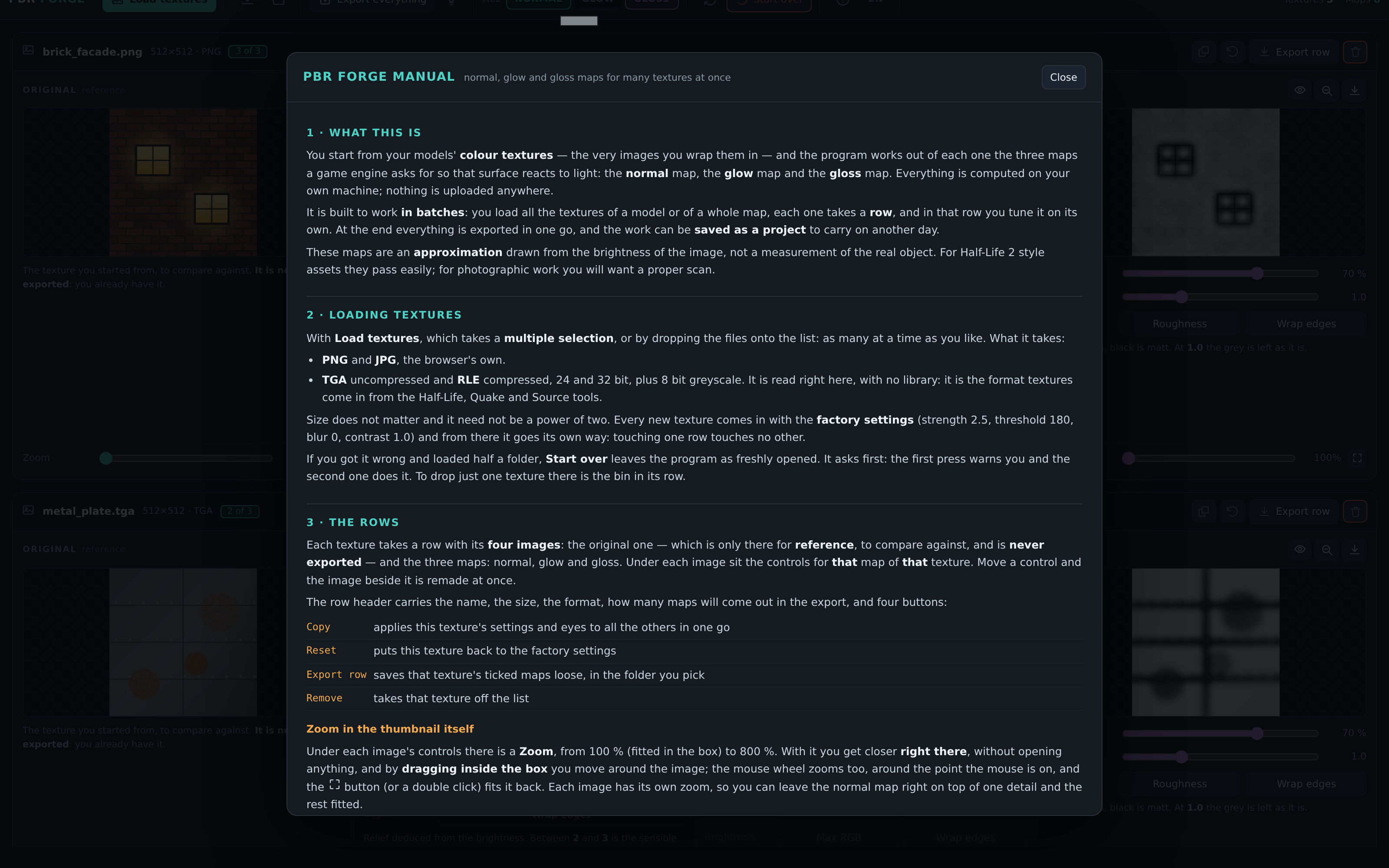
PBR Forge takes the colour textures you already have — the very images you wrap your models in — and works out the three maps a game engine needs for those surfaces to react to light: normal, glow and gloss. It is built for batches: load the forty textures of a whole map, each one gets a row, and each row is tuned on its own.
It is one self-contained program with no dependencies. No account, no cloud, no telemetry, no internet connection. Every texture stays on your machine.
How it works
- Drop your textures in. As many at once as you like — PNG, JPG and TGA (24 and 32 bit, 8-bit greyscale, with or without RLE). The TGA reader is written by hand, because TGA is what comes out of the Half-Life, Quake and Source tools.
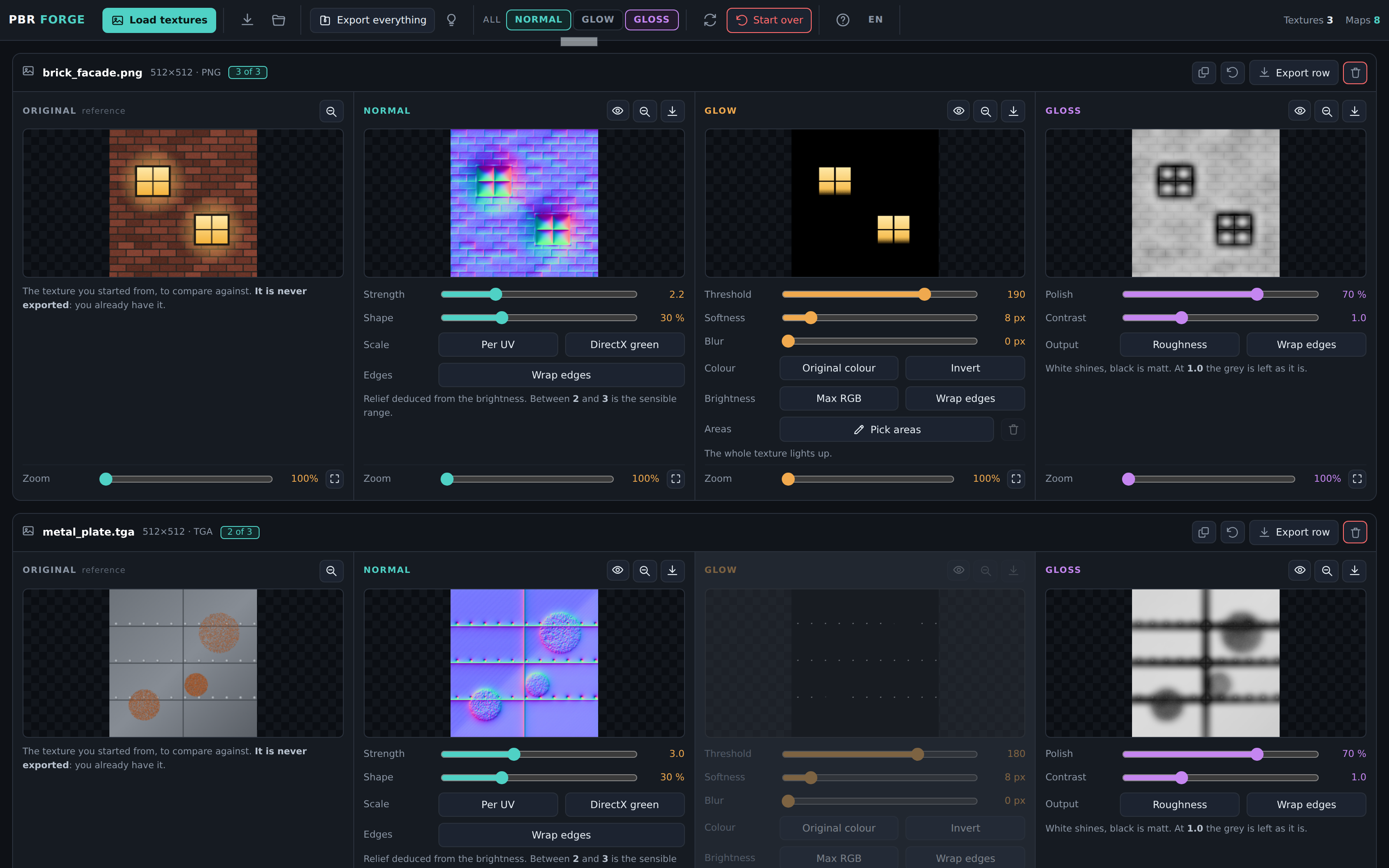
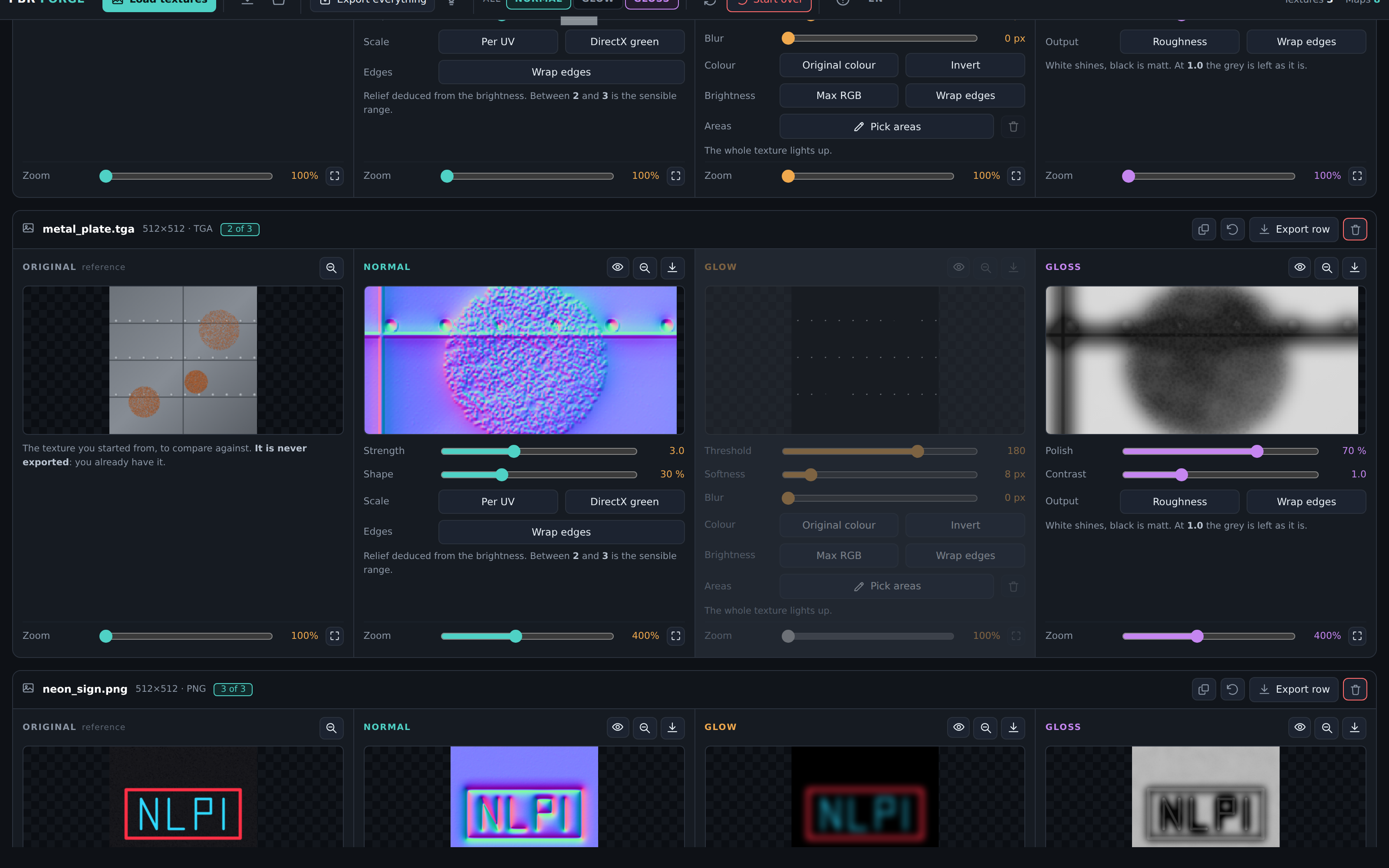
- Each texture gets a row with four images: the original, for reference, and the three maps. The controls for a map sit right under it. Move one and the image beside it is remade at once.
- Tick what you want out. Every map has an eye: switch it off and it appears in no export. A texture with nothing that emits light needs no glow, and one click on GLOW in the top bar drops it from all forty at once.
- Export. One .zip with everything, or one row loose into a folder you pick, or a single PNG. Every file comes out at the original size, named
_norm,_glowand_gloss— the suffixes DarkPlaces looks for on its own.
The three maps, and why they are not just brightness
- Normal — the slope of the brightness, measured with the Scharr operator rather than Sobel. Both cost the same, but a normal map stores a direction, and that is where Sobel drifts: measured on waves of known direction, Scharr's mean angular error is between 4 and 6.5 times smaller, and the gap grows with frequency — exactly where a texture's grain lives. Brightness is read in linear light, so the relief no longer swells in the dark parts of a brick wall. A Shape control adds the broad forms a 3×3 operator is blind to, and Per UV keeps the same wall giving the same relief at 512 and at 1024.
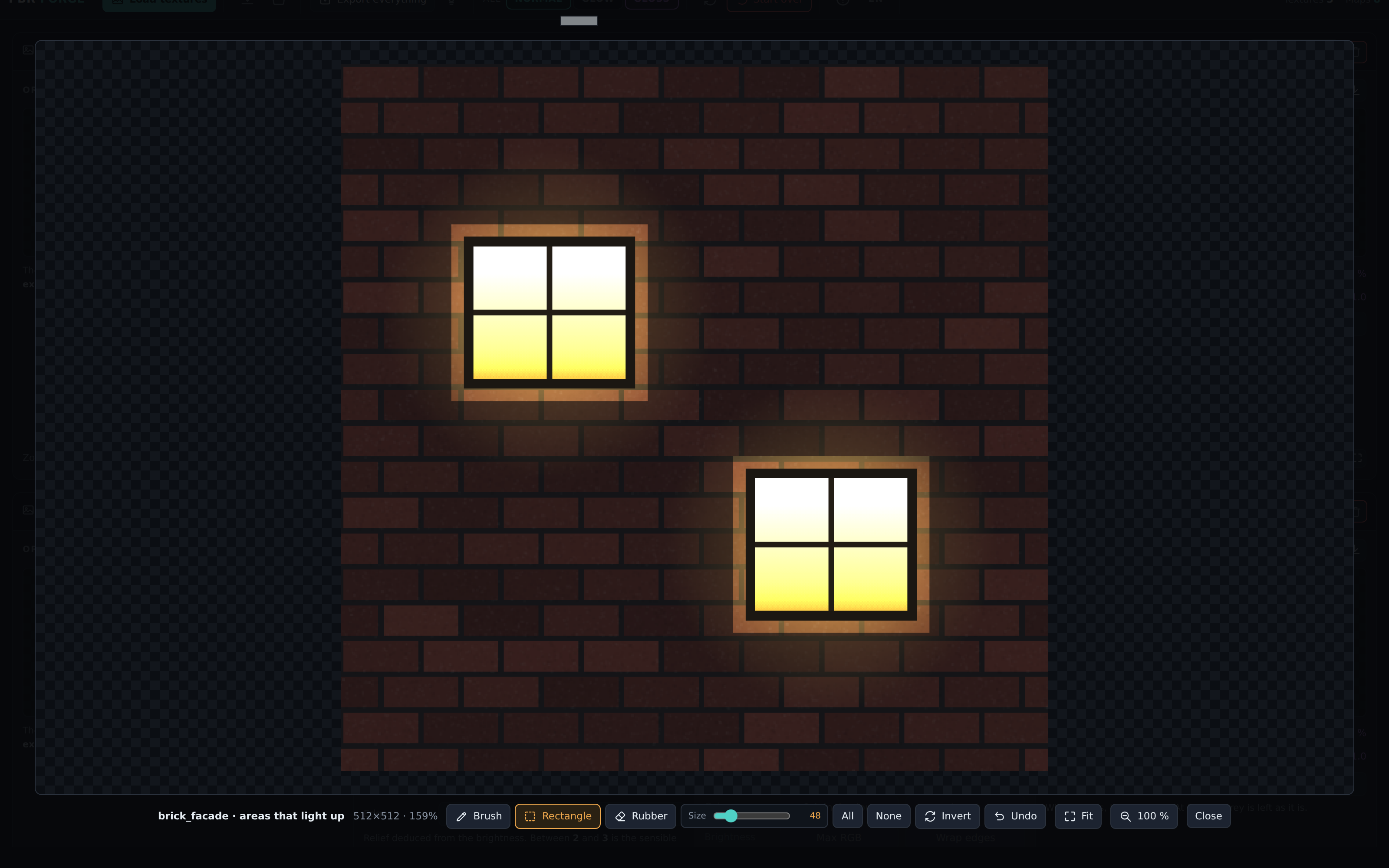
- Glow — what emits light by itself. A soft threshold instead of a step, so gradients do not come out jagged; Max RGB for saturated neon, which plain luminance misses (a pure red scores only 76); blur that wraps around the edges for textures that tile; and an area editor to paint by hand where lighting up is allowed, for the façade where the windows and the sun off the sheet metal are just as bright.
- Gloss — measured from local roughness, not from brightness. Brightness confuses light with shiny: on test patches, matte white marble came out at 199 and polished dark metal at 60 — the wrong way round. Polished surfaces are smooth, so the fine detail is measured and inverted, and the same patches come out at 89 and 195. A Roughness switch flips the map for the engines that ask for it, and renames the file to
_roughso it can never be loaded as a gloss map by mistake.
What else you get
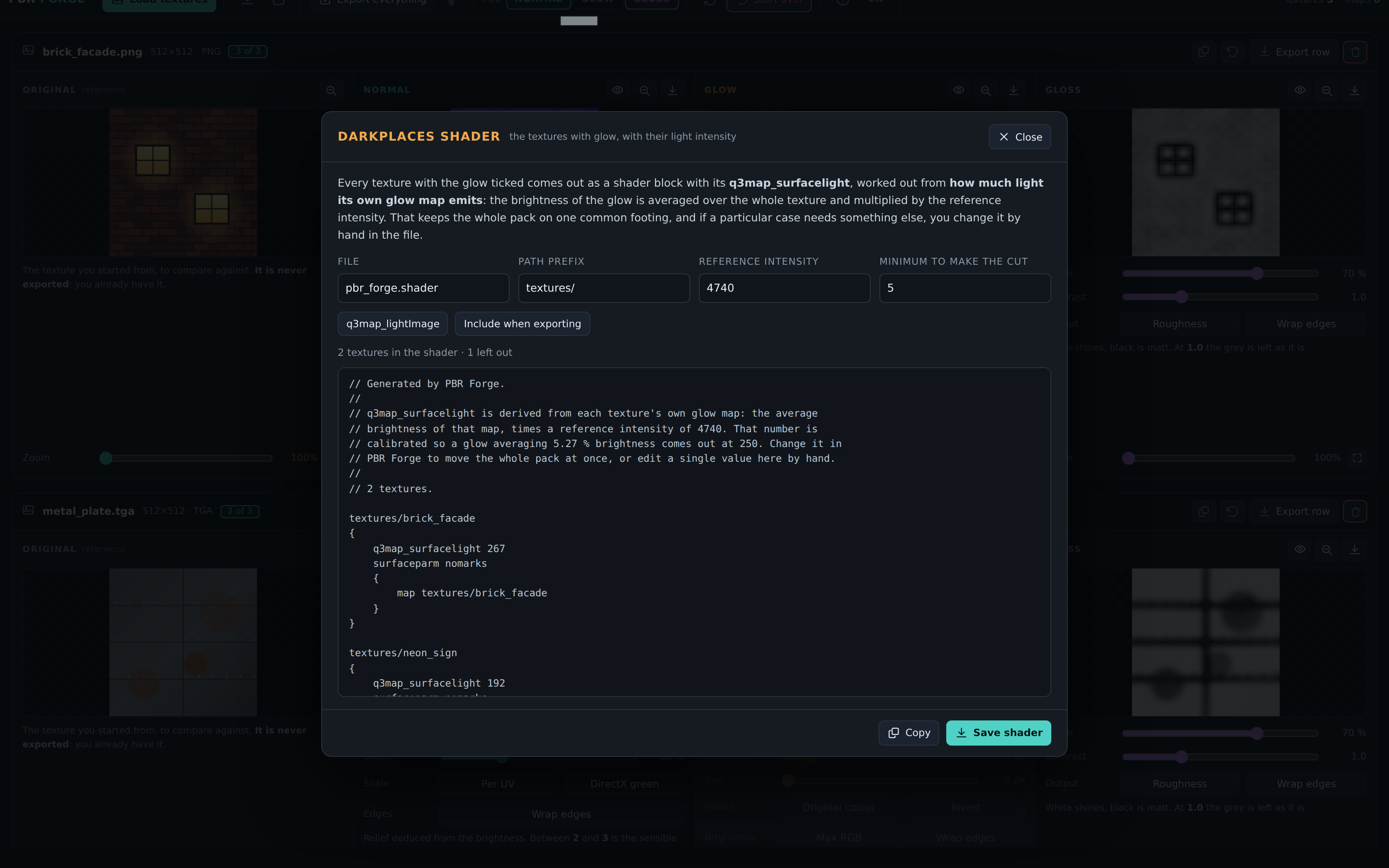
- A DarkPlaces shader generator. The glow map says where a texture glows, not how much light the surface gives off when the map is compiled. PBR Forge averages each glow map and works out its
q3map_surfacelightfor the whole batch at once, calibrated from a known pair. It averages rather than counting lit pixels, so the same texture at twice the side does not claim four times the light. - Projects. One file with the textures inside it and every setting you chose, so a job that does not fit in one sitting can be picked up a month later.
- A zoom in every thumbnail, 100 % to 800 %, that recomputes at the original size the moment you go past 100 % — what you look at closely are the real pixels, not a blow-up.
- A full manual built in (F1), in English and Spanish, and the whole interface in both.
What's in the download
PBRForge-Setup-x.y.z.exe— Windows installerPBRForge-x.y.z-portable.exe— Windows, no installationPBRForge-x.y.z-arm64.dmg— macOS (Apple Silicon)PBRForge-x.y.z.AppImage— Linux, no installationPBRForge-x.y.z-amd64.deb— Debian, Ubuntu and derivatives
Requirements
Windows 10 or later, macOS, or a 64-bit Linux with a desktop. No GPU beyond what your desktop already uses.
Honest limits
These maps are an approximation drawn from the brightness of the image, not a measurement of the real object. For assets in the Half-Life 2 / Quake tradition they pass easily; for photographic work you want a proper scan. A flatly painted wall is smooth in colour and matte in reality, and it will come out shiny. Height and AO maps are not there yet.
Purchase
In order to download this tool you must purchase it at or above the minimum price of $2.99 USD. You will get access to the following files:
Leave a comment
Log in with itch.io to leave a comment.