Texture Forge
A downloadable tool
Texture Forge turns flat surfaces in ordinary photos into game-ready textures — the photo-based texturing that props and levels were made with for Half-Life 2 and the engines of that era. You mark the four corners of a flat face over your photo, and the perspective is straightened out into a clean, front-on texture you can drop straight into a level.
It runs entirely on your machine. No account, no sign-in, no cloud, no telemetry, and no internet connection — install it, unplug the network, and it works exactly the same. Nothing you make ever leaves your computer.
How it works
- Drop your photos in. One image or many — each opens its own tab, and every piece you extract feeds one shared atlas, so a whole vehicle or building comes together in a single texture.
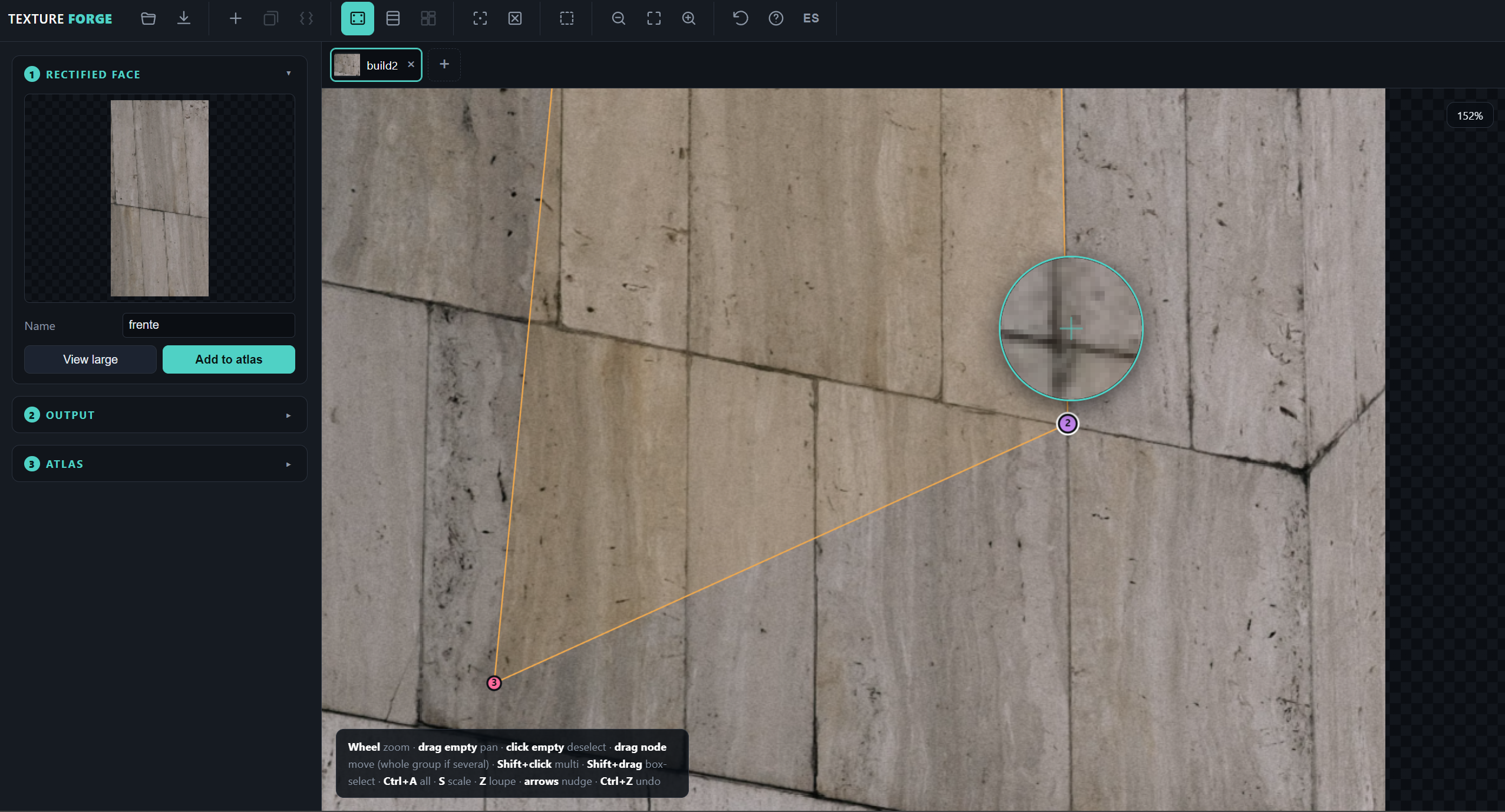
- Mark the face. Drop the four corners onto a flat surface and zoom in with the precision loupe to place them exactly. Select several at once, move them as a group, or scale the whole shape. For wheels and decals, switch to circle mode and match the turquoise ring to the rim.
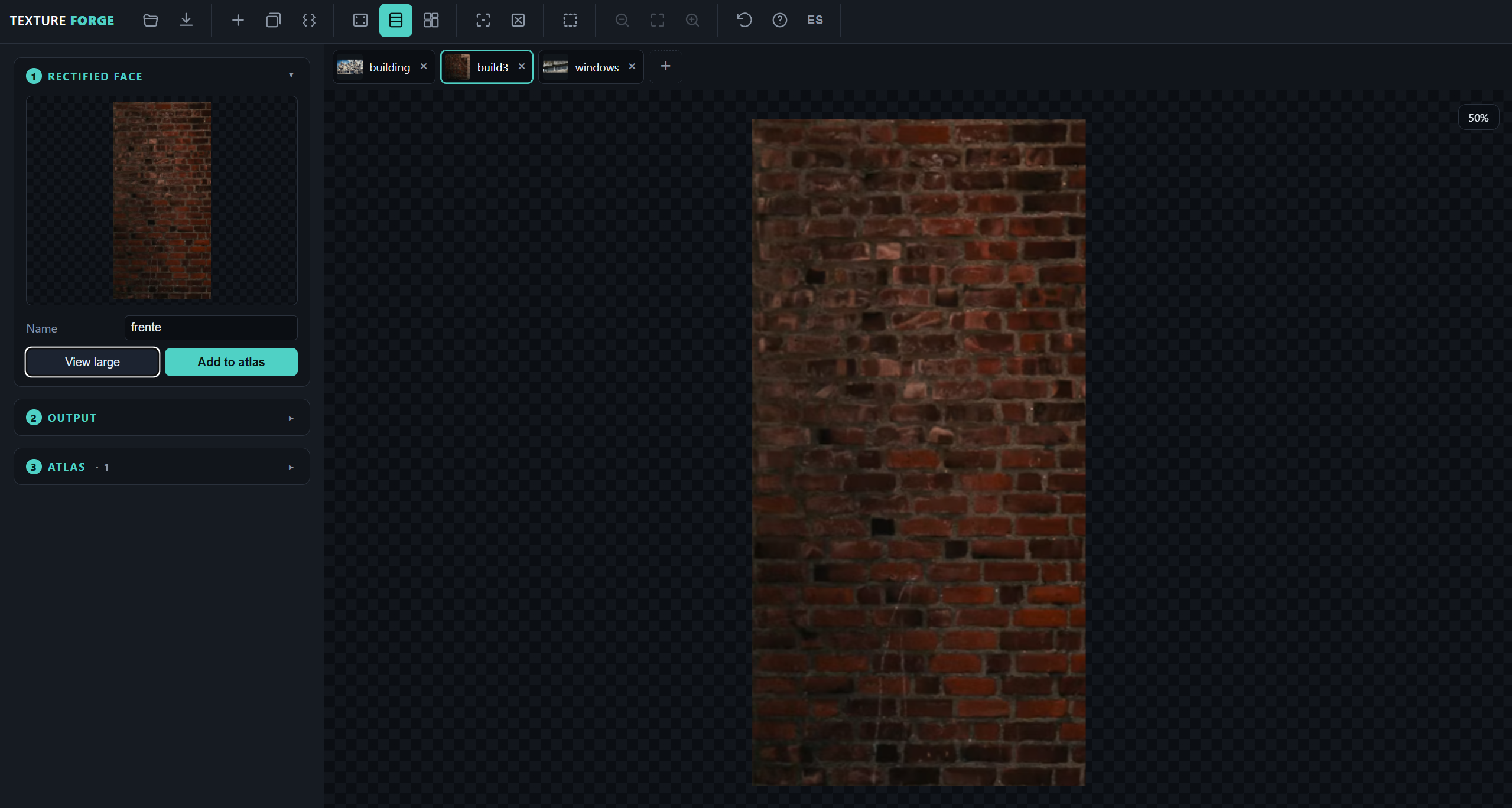
- Rectify it. The surface is straightened by homography and every output pixel is sampled back from the photo with bilinear filtering — no gaps, no smearing. Power-of-two sizes for Quake-family engines, or let it derive the proportion from the quad.
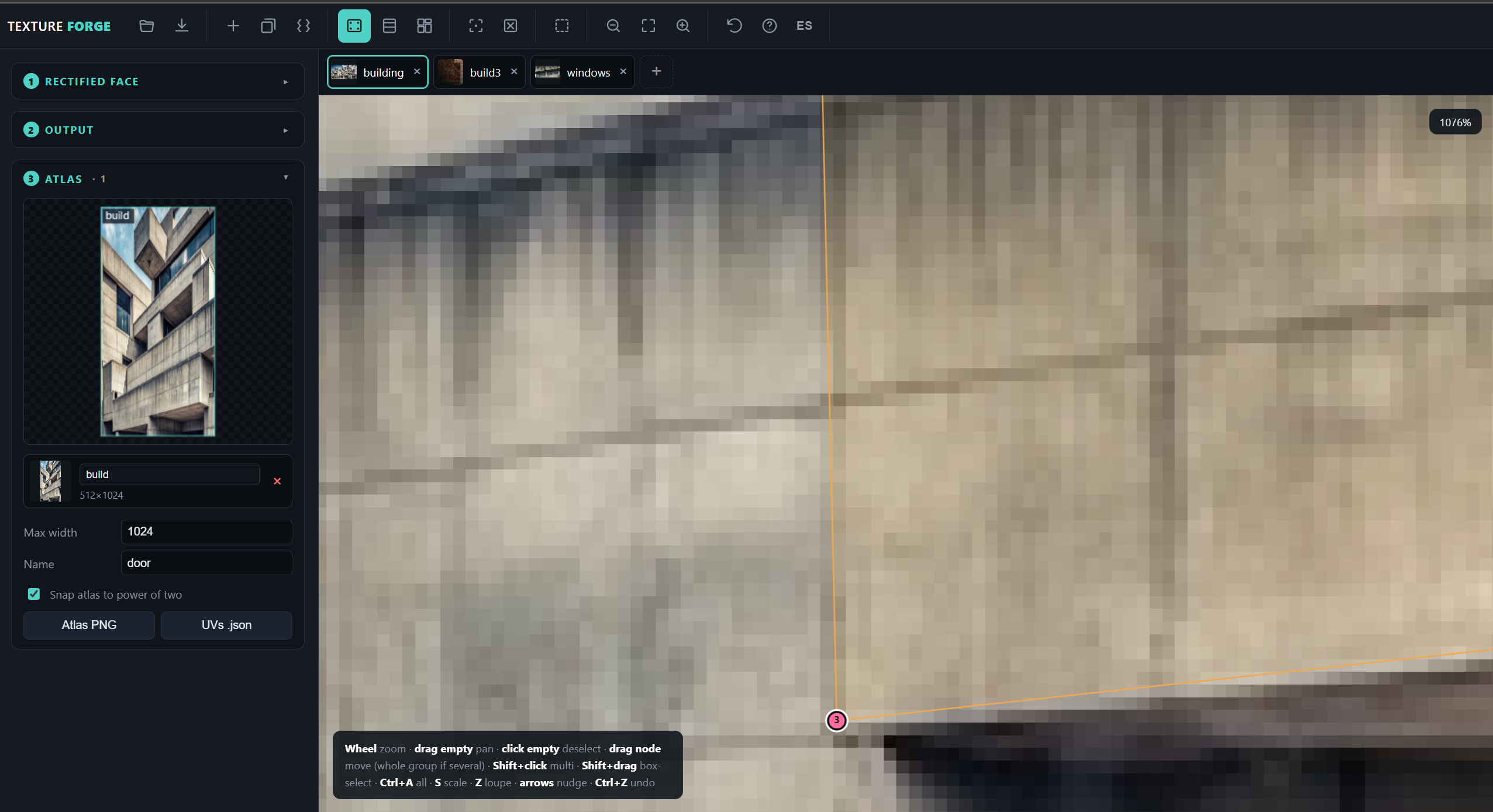
- Build the atlas. Name each piece and add it; the atlas packs itself and updates live. Export the atlas PNG and a UV .json, ready for TrenchBroom, your engine, or Blender.
What you get
- Perspective rectification by homography, with clean bilinear sampling.
- Multi-image tabs, all feeding one shared atlas.
- Circular / elliptical crop with alpha, for wheels and decals, with a soft-edge control.
- Multi-vertex selection: box-select, group move, box scale, and a modal S-scale from the keyboard.
- Zoom and pan with a precision loupe you toggle with Z, and undo with Ctrl+Z, 80 steps.
- A shelf-packed atlas with power-of-two snapping, a small preview in the panel and a large labelled view on the canvas.
- Per-face PNG, atlas PNG and a UV .json with pixel rects and normalised coordinates.
- Collapsing panels, a "start over" button, and the whole interface in English and Spanish.
- A built-in help panel with the full controls and workflow.
What's in the download
- Texture Forge Setup 1.1.0.exe — Windows installer
- Texture Forge 1.1.0.exe — Windows, no installation
- Texture Forge-1.1.0-arm64.dmg — macOS (Apple Silicon)
- Texture Forge-1.1.0.AppImage — Linux, no installation
- texture-forge_1.1.0_amd64.deb — Debian, Ubuntu and derivatives
Requirements
Windows 10 or later, macOS on Apple Silicon, or a 64-bit Linux desktop. Everything draws through the HTML canvas, so any machine your desktop already runs will do — there is nothing else to install. The browser build is a single self-contained HTML file with a strict Content-Security-Policy, so it works fully offline too.
Honest limits
This is a tool for extracting textures from flat surfaces in photographs. It rectifies one flat face per quad, so an object with several sides — a door's front and its edge — is several pieces into the atlas. Very oblique angles carry less real detail, so those textures come out softer. Lighting and shadows are baked into the photo and stay baked into the texture; there is no relighting yet. And anything in front of the surface — a handle, a passer-by — is captured with it and has to be cleaned out by hand.
Built for
DarkPlaces, FTE and GZDoom (DECORATE / ZScript / ACS), level design in TrenchBroom, and modelling in Blender.
Purchase
In order to download this tool you must purchase it at or above the minimum price of $2.99 USD. You will get access to the following files:
Leave a comment
Log in with itch.io to leave a comment.